
PDF editor for Windows and online
Edit any PDF. Keep it on your computer.
Edit text and images, organise pages, fill and build forms, comment, sign, redact and convert. Oakleaf PDF works on your own computer, so your documents stay yours.
Free online for everyday tasks. Full version from £9.99 a month.
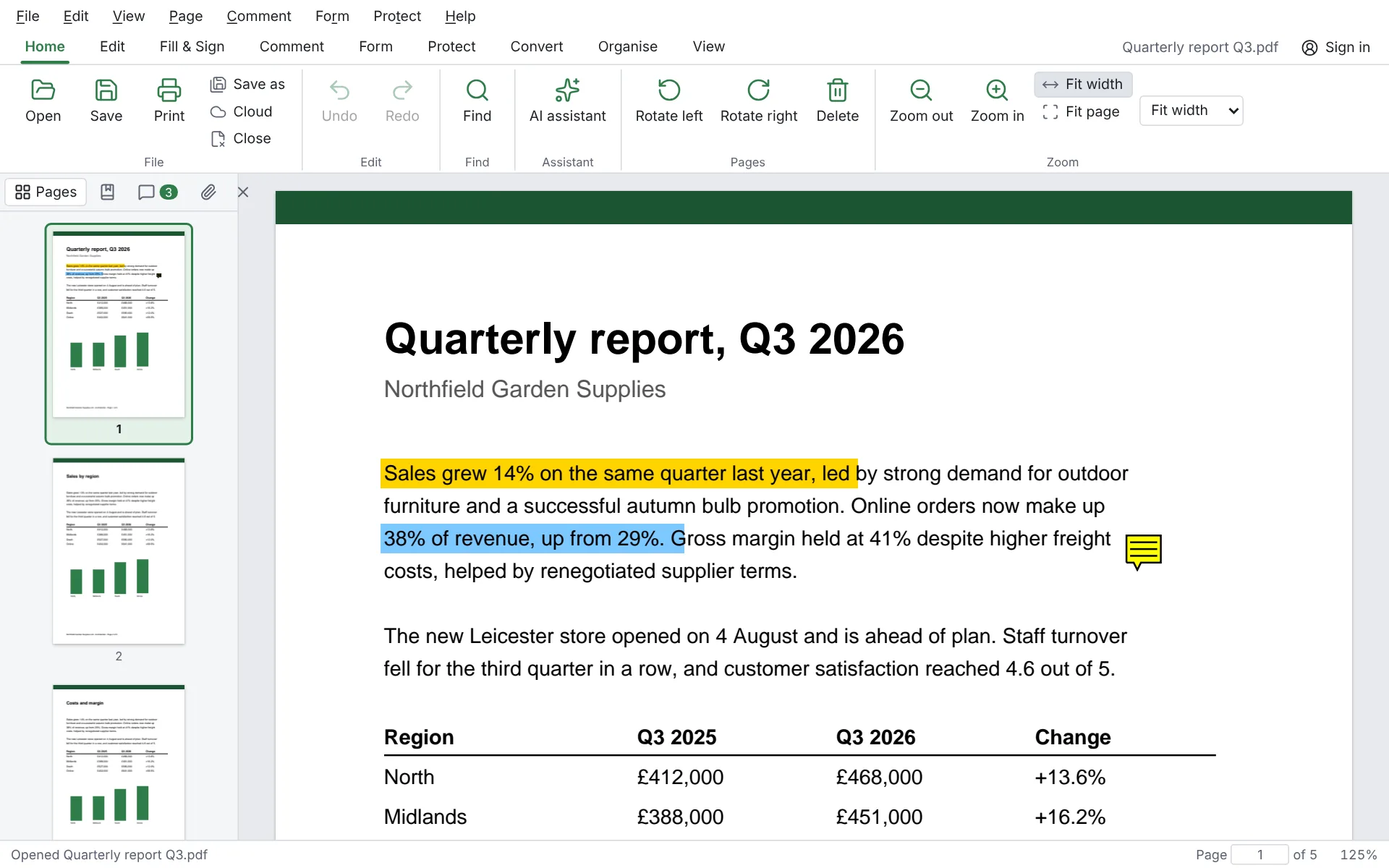
One app, every job
A full PDF editor, not just a viewer
The tools people expect from the big names, in a clean ribbon layout that feels familiar from day one.
Edit text and images
Change the words on the page, add new text, swap pictures and add links, all with undo.
Organise pages
Merge files, reorder, rotate, split, crop and extract pages. Add headers, page numbers, Bates numbers and watermarks.
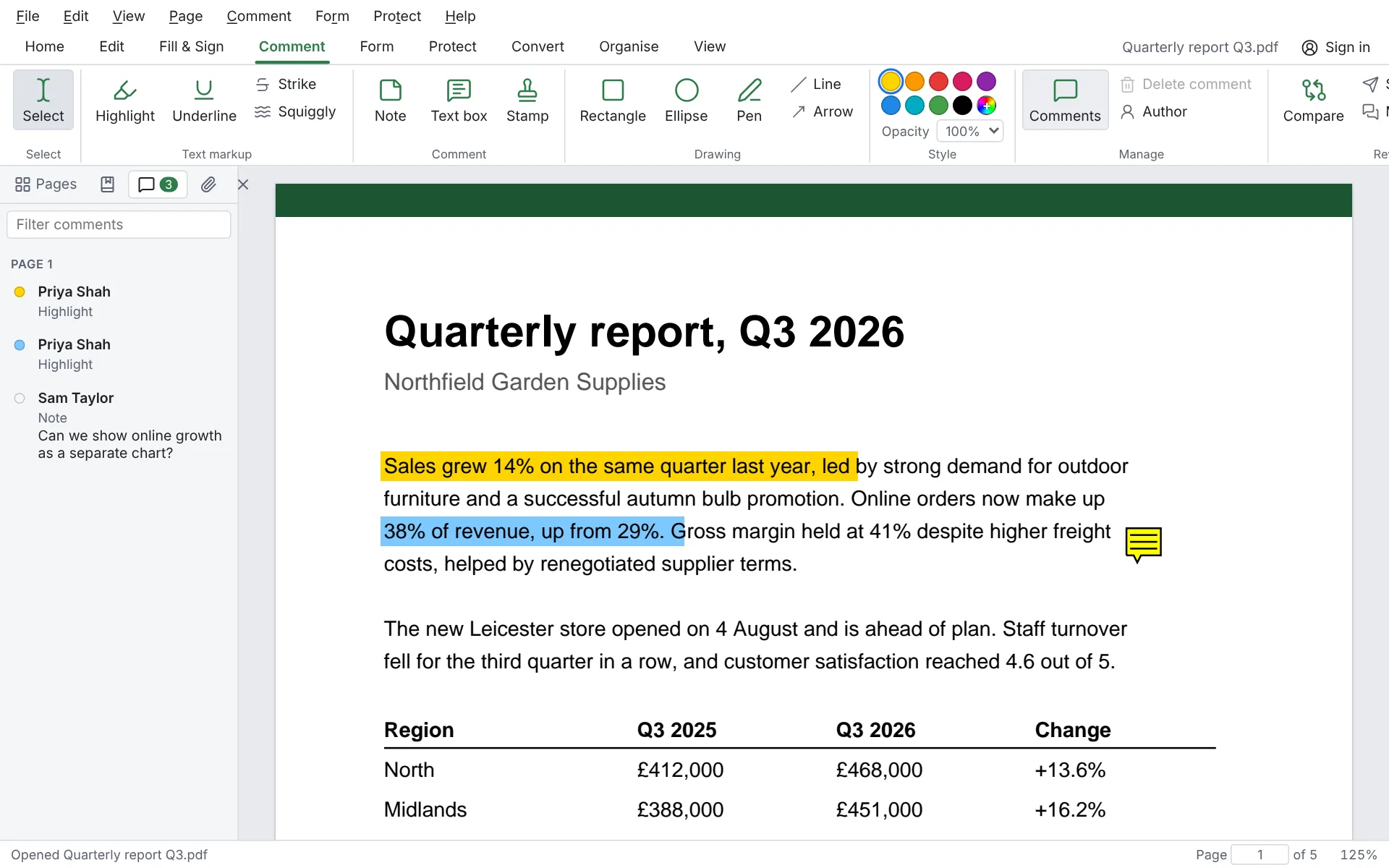
Comment and review
Highlight, notes, shapes, stamps and drawing. Send for review and merge everyone’s comments back into one copy.
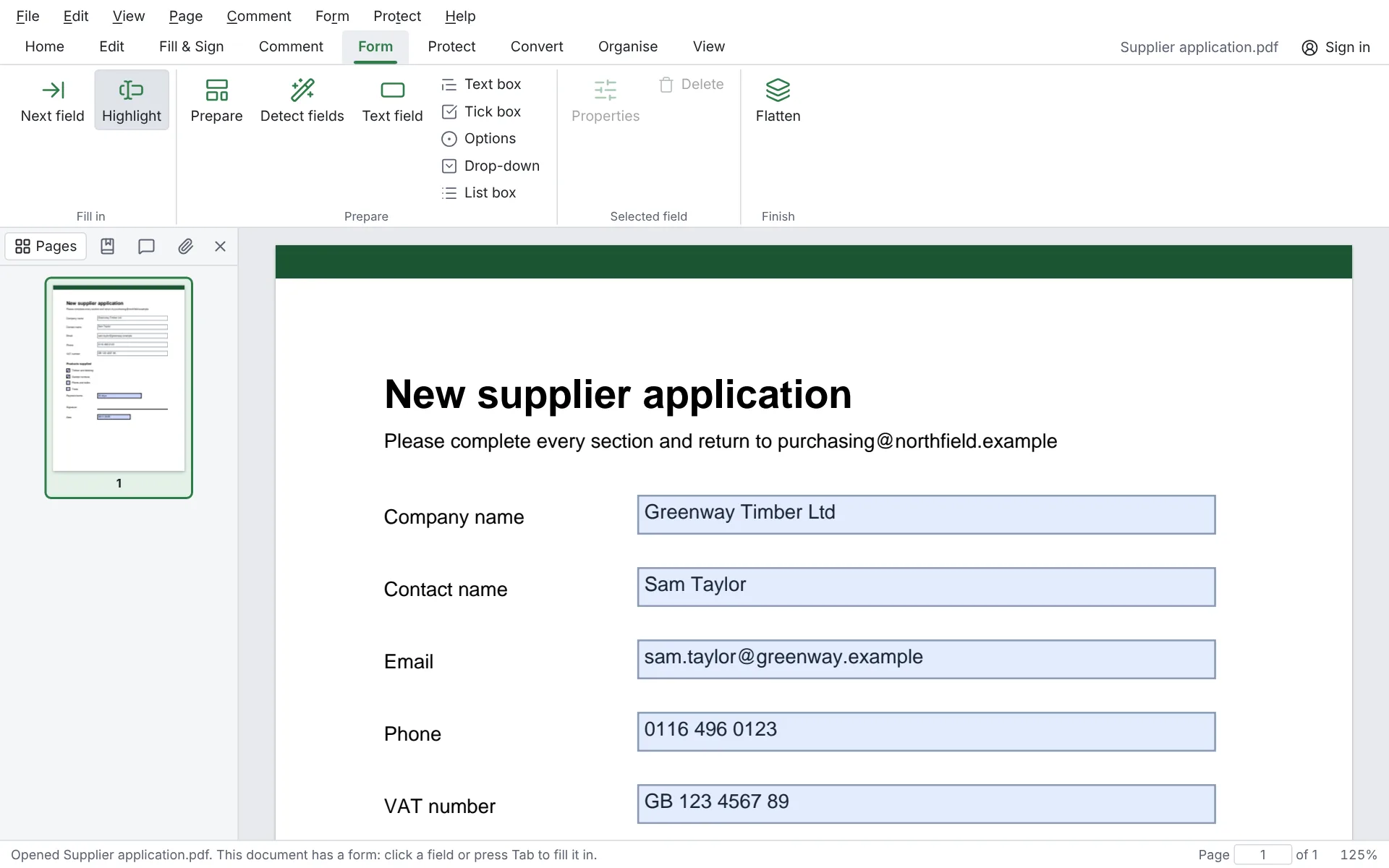
Fill and build forms
Fill any form, or turn a plain document into a fillable one, with text boxes, tick boxes, lists and automatic field detection.
Sign
Draw or type your signature, sign with a digital certificate, check signatures, and track who has signed.
Protect and redact
Remove sensitive text for good, add passwords and permissions, and save archive-ready PDF/A copies.
Private by design
Your files never leave your computer
Most online PDF tools upload your document to their servers. Oakleaf PDF doesn’t. The desktop app and the online editor both open and save files on your own device, and the editing happens there too.
- No uploads: documents are opened and saved locally, even in the online editor.
- Share for review through your own email or OneDrive, Google Drive or Dropbox folders.
- The only things that ever go online are the ones you ask for, such as converting to Word or using the AI assistant, and we ask first, every time.
Works the way you do
On your Windows PC, or in any browser
Install Oakleaf PDF on Windows for the full desktop experience, or open the online editor in any modern browser with nothing to install. One subscription covers both, for one person on up to 3 devices.
A Mac app is on the way.
Simple pricing
Start free. Upgrade when you need more.
Use the online editor free for comments, forms and page tools. Upgrade for editing, redaction, signing with certificates, OCR, conversion, the AI assistant and the Windows app.